


Baby Rattle: Giggles & Lullaby
4.8292.00 Reviews
App Specs
- Version
- 3.01.08
- Updated On
- License
- Free
- Downloads
- 100,000+
- Developer
- Bebi Family: preschool learning games for kids
- Categories
- Parenting
- Platform
- Android
Screenshots
 Analysis by AppCompare
I find Baby Rattle: Giggles & Lullaby most useful as a small, parent-controlled distraction rather than a substitute for toys, conversation, or a bedtime routine. It is a parenting app from Bebi Family: preschool learning games for kids, built around simple rattles, sounds, animation, and lullabies. That narrow focus is a strength when I want a quick, uncomplicated activity, but it also means the app is best suited to short moments with an adult nearby.
What to expect when opening it
The app is free to install and is rated for Everyone. Its current version is 3.01.08, and it requires Android 6.0 or later. I would check that operating-system requirement before setting it up on an older spare phone or tablet intended for a child. Optional in-app purchases range from $1.99 to $4.99 per item, so the free starting point does not necessarily mean every available item is included without payment.
Its simple premise makes the speed expectations fairly modest: this is not a large game world that asks a young child to learn menus or complete a sequence of tasks. The main interaction is direct—touch or shake the device and watch or listen for a response. In my experience, that kind of straightforward design is useful when a baby’s attention is brief and a caregiver wants to begin an activity without a lengthy setup. I would still treat responsiveness as something to check on the specific device, since an older phone can behave differently from a newer one.
Short play sessions work best
A realistic use is a few minutes while you are sitting with your child and need a calm, contained activity—for example, while waiting for a meal to cool or taking a quiet pause at home. I would keep the device in my own hands or within reach, then offer one simple interaction at a time. A baby can focus on the sound and movement without needing to understand instructions, while a toddler can experiment with cause and effect.
That setup also helps avoid a common mismatch: expecting a phone to occupy a child for a long stretch without an adult. The app’s rattles are an invitation to explore, not a replacement for attention. If your child is becoming overstimulated, the same animations and sounds that attract them may be too much; I would switch to a quieter activity rather than keep tapping through options in hopes of settling them.
Interactive Fun for Little Hands
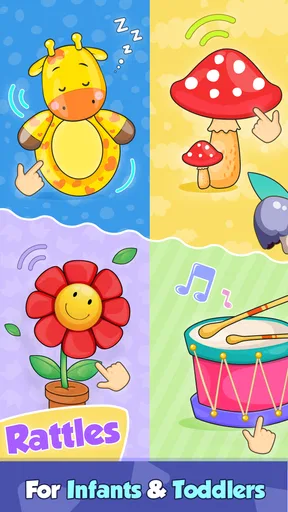
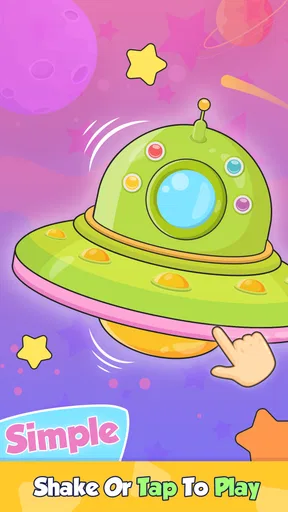
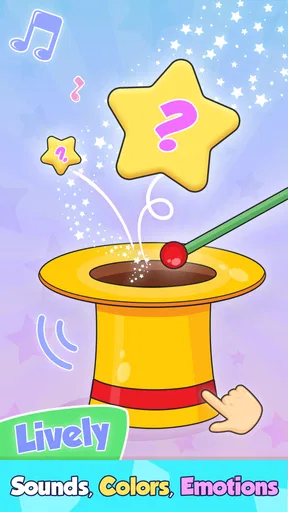
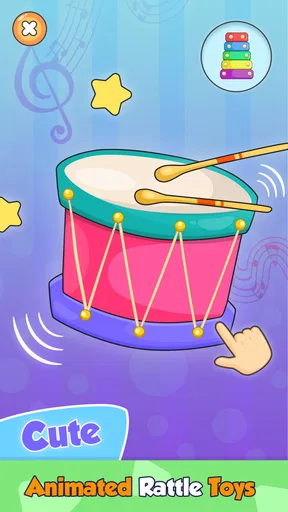
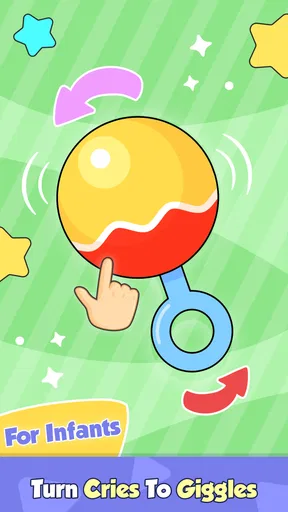
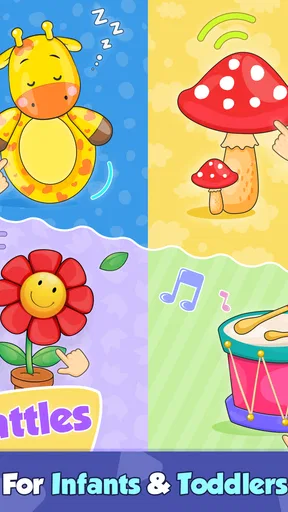
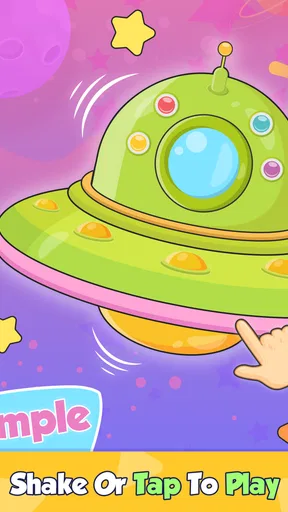
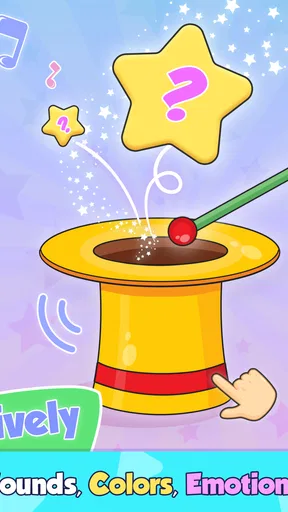
First things first, the app is incredibly user-friendly. The bright, colorful interface is perfect for catching the eyes of babies and toddlers. As soon as you open the app, you're greeted with a variety of playful rattles. Each rattle is interactive, meaning when your baby touches or shakes the device, it responds with delightful sounds and animations. This feature is not only entertaining but also helps in developing motor skills and hand-eye coordination.
A Soothing Soundtrack
Baby Rattle: Giggles & Lullaby isn't just about play. It also offers a selection of calming lullabies. These tunes are perfect for lulling your little one to sleep. The music is gentle and the volume can be adjusted, which is great because every baby has different preferences when it comes to sound. This dual functionality of playtime and bedtime makes the app a versatile tool for parents.
Worth Reading Before You Choose

EA SPORTS FC Mobile 26 Is a Bigger Football Game, but It Takes Time

Flipboard Shows What News Apps Must Do Beyond the Feed

Switching to Android Auto Means Rethinking Your Driving Routine

Google Calendar Makes a Crowded Week Easier to Manage

Ludo King Makes the Most of the Minutes Between Plans

Baby Panda World Brings Quick Play to Modern Phones, but Its Game Library Feels Busy
Choosing play or a wind-down moment
I would use the rattle side and the lullaby side for different jobs rather than treating them as one continuous activity. During awake time, a quick turn with a rattle can give a baby something to watch and respond to. At bedtime, choosing a lullaby and keeping the room and routine otherwise familiar is a more sensible use than introducing lots of new visual activity just before sleep. The app can contribute a sound cue, but I would not expect it alone to establish a sleep routine or reliably settle every child.
Volume adjustment is especially practical when the phone is close to a baby. I would start softly, keep the speaker away from the child’s ears, and change the level only if needed. This is a small but meaningful trade-off: a sound that is clear in a busy room may feel too present in a quiet bedroom. The option to adjust volume makes it easier to adapt, though the caregiver still needs to make that judgment.
Customizable Experience
One of the standout features for me is the app's customization options. You can choose which rattles and lullabies you want to use, tailoring the experience to suit your child's preferences. The app also allows you to add your own recordings, which is a lovely touch if you'd like to include a familiar voice or a favorite song. This personal touch can make the app even more engaging for your baby.
Make customization useful, not distracting
For a child who responds to familiar sounds, a recording can make the app feel more personal than a generic sound toy. I would prepare that option before handing over the device, then keep the selection simple. Too much switching can turn a soothing moment into a parent-led search through choices, and a baby may be more interested in the movement of the screen than the audio itself. A familiar voice may be comforting, but it is not a guarantee that a child will calm down.
There is also a practical distinction between this customization and a dedicated music player: the app’s appeal is tied to its rattles and baby-oriented interaction, while a parent who mainly wants a long playlist may prefer a music app or a familiar physical sound machine. If you want a small collection of sounds and the option to add a personal recording, the built-in approach is convenient. If you want detailed playlist controls or a broader library, this focused tool may feel limited.
Safe and Ad-Free
In today’s world, ensuring your child is safe online is a top priority. I was relieved to find that the app is completely ad-free. There are no unwanted pop-ups or ads that could distract or confuse your child. Additionally, the app doesn’t require any unnecessary permissions, which is always a plus when it comes to privacy and security.
What “ad-free” means in everyday use
For a caregiver, avoiding ads matters because an unexpected promotion can interrupt a child’s activity or lead to a confusing screen. The ad-free experience makes the app easier to hand over briefly than many free entertainment apps that mix play with advertising. Still, free installation and in-app purchases are separate things: the app offers optional purchases, so I would review the available choices myself before letting a child explore the device. I would also keep the phone’s purchase controls under adult supervision.
Ad-free does not mean screen time needs no boundaries. I would use the app as a short shared activity, not leave a baby alone with a phone. Babies can be drawn to bright screens and may grab or mouth a device, so a caregiver should hold it securely and stay present. For families who prefer screen-free play, a physical rattle remains the more direct choice and avoids handing a screen to a young child altogether.
Ease of Use
The app is designed to be intuitive, not just for the kids but for parents too. Setting it up and navigating through its features was a breeze. I didn’t encounter any glitches or bugs during my use, which speaks volumes about its reliability. It’s clear that the developers have put a lot of thought into creating a seamless user experience.
Reliability and recovery in real use
My smooth session is encouraging, but I would not turn that into a promise that every device or every session will behave identically. If the app stops responding, I would first close it and reopen it, then check that the device has enough battery and is not being held in a way that blocks its speaker. For a brief activity, that simple recovery is usually more useful than troubleshooting while a child waits. If a device repeatedly struggles with it, a physical rattle or a separate audio option is the less frustrating fallback.
Because the interaction depends on touch and movement, the way an adult holds the phone can affect the experience. I would keep a firm grip and avoid encouraging a baby to shake an expensive device. A protective case may help with ordinary bumps, but it does not make a phone a baby toy. This is one of the app’s less obvious trade-offs: the virtual rattle is convenient to carry, yet the hardware remains something the adult should protect.
Device limits and household fit
The minimum Android requirement is 6.0, which makes compatibility worth checking before planning to use an older device as a dedicated baby screen. It is also worth thinking about sound output: a phone’s speaker, case, and placement all affect how clearly a lullaby is heard. I would test the volume in the room first instead of discovering at bedtime that it is too loud, too quiet, or poorly positioned.
Parents comparing options will usually be weighing this against three familiar alternatives: a physical rattle, a sound machine, or a general children’s game. A physical rattle offers hands-on play without a screen and is the better choice when touch and movement are the main goal. A sound machine is more suitable if the only need is steady background audio. A broader children’s game may offer more variety for an older toddler, but it can also bring more menus and stimulation than a baby needs. This app sits between those choices: it combines simple visual interaction with lullabies, without trying to be a full learning curriculum.
Engagement and Education
While the primary focus of the app is entertainment, it also offers educational benefits. The interactive elements encourage curiosity and exploration, which are key components of early learning. Babies learn through play, and this app provides a safe space for them to explore sounds and visuals.
Who will appreciate it—and who may not
I can see it fitting families who want a simple, adult-supervised option that can shift from playful sounds to a gentler listening moment. It may be particularly handy when a caregiver already has a phone nearby and wants to offer a short distraction without carrying a separate toy. The developer, Bebi Family: preschool learning games for kids, focuses here on an early-childhood audience, and the app has a 4.8 average from around 1.7 thousand ratings, with over 100 thousand installs. Those figures suggest that many families have tried it, but they do not tell me whether its sound style will suit an individual baby.
I would skip it if your child is not interested in screens, if your household is deliberately screen-free, or if you need a substantial collection of structured lessons. It is also not the best fit for a caregiver looking for a hands-off babysitter: babies still need supervision, and a phone is not a safe object to leave within reach. For older children who want choices, challenges, or longer play sessions, a more varied app may be a better match.
At the time of writing, the app has been available since March 2, 2021. Its Everyone rating reflects a broad audience designation, not a substitute for a parent’s judgment about how and when a baby uses a screen. I would decide based on the child’s response, keep sessions brief, and treat the app as one tool among ordinary toys and familiar routines.
In conclusion, Baby Rattle: Giggles & Lullaby is a fantastic app for parents looking to entertain and soothe their little ones. Its combination of playful interactivity, soothing music, and customization options makes it a standout choice. Whether you're trying to keep your baby engaged during the day or settle them down for the night, this app has you covered. With no ads and a simple, intuitive interface, it's an excellent addition to any parent's toolkit. Give it a try and watch your baby's face light up with joy!
My performance verdict
For the kind of short, simple interaction it offers, the app’s light concept is its practical advantage: there is little to learn before a parent can try a rattle or choose a lullaby. I found it straightforward in use, though I would judge speed and stability on the actual phone rather than assume a particular level of performance across all devices. The best fit is a caregiver who wants a small, supervised screen activity and understands its limits. If that describes your household, it is worth trying; if you want screen-free play, a full bedtime sound system, or a deeper learning app, another option will serve that purpose better.
Pros
- Engaging animations captivate infants.
- Simple interface for easy navigation.
- Wide variety of lullabies included.
- Interactive elements encourage play.
- No in-app purchases needed.
Cons
- Limited content for older children.
- Requires internet for updates.
- Ads may interrupt playtime.
- Some sounds may be too loud.
- Limited parental controls.
FAQs for Baby Rattle: Giggles & Lullaby
What age group is Baby Rattle: Giggles & Lullaby suitable for?
Baby Rattle: Giggles & Lullaby is designed for infants and toddlers, specifically targeting ages 0-3 years. The app incorporates bright colors, engaging sounds, and simple interactions to captivate babies' attention and aid in their sensory development. Parents can rest assured that the content is age-appropriate and safe for young children.
Does the app require an internet connection?
No, Baby Rattle: Giggles & Lullaby does not require an internet connection to function. This makes it ideal for use on-the-go, whether you're in the car or at a place with limited connectivity. All features are accessible offline, ensuring uninterrupted playtime for your child.
Is Baby Rattle: Giggles & Lullaby safe for my child to use?
Yes, the app is designed with child safety in mind. It includes no in-app purchases, ads, or external links that could lead your child away from the app. Additionally, the user interface is simple and intuitive, preventing accidental exits or changes to settings while your child plays.
What kind of features does the app offer?
Baby Rattle: Giggles & Lullaby offers a variety of features including interactive rattles, soothing lullabies, and engaging animations. The app is designed to stimulate auditory and visual senses, while also providing calming music to help relax and soothe infants. It is both entertaining and educational, making it a valuable tool for parents.
How can I customize the app's settings for my child?
The app includes customizable settings allowing parents to adjust the volume of sounds, choose different rattle designs, and select lullaby options. These settings are easily accessible through a parent-protected menu, ensuring that only adults can make changes, providing a safe and personalized experience for your child.


